Sandbox testers
Connect App Store Connect to change a sandbox tester's renewal rate and clear its purchase history before you rerun purchase flows.
Connect Astra Scout to App Store Connect to clear a sandbox tester's purchase history and speed up its renewals inside the app, without opening the website. An Admin sets up the key; testers use it from then on.
A sandbox tester is an Apple account used only for test purchases: the transactions are fake and nothing is charged. You create it in App Store Connect, Apple's website for managing apps. An account that already bought a subscription does not see the trial offer again, and a real subscription renews too slowly to test.
Before you start
- An App Store Connect API key (a key that lets Astra Scout talk to Apple): a
.p8file, its Issuer ID and its Key ID. - An Apple account role that can manage sandbox testers (Admin or Account Holder).
- At least one sandbox tester in App Store Connect > Users and Access > Sandbox.
A team key (recommended) is created by an Admin in App Store Connect > Users and Access > Integrations, with the Admin role. Apple lets you download the .p8 file a single time, so save it.
An individual key is also supported. It has no Issuer ID: turn on Individual key in the pane.
Set up
- Choose Astra Scout > Settings… (
Cmd+,) and click App Store in the sidebar. The pane's title reads App Store Connect. - In the API key section, type the Issuer ID and the Key ID. For an individual key, turn on Individual key instead; the Issuer ID field goes away.
- Click Choose .p8 File… and pick the file. The row reads "Key chosen: " followed by the file name and "Press Save." Nothing is saved yet.
- Click Save. The row then reads Key saved. (Save stays disabled until the Key ID, a key and, for a team key, the Issuer ID are all set.)
- Click Test Connection. On success it reads Connected · N sandbox testers, where N is the number of sandbox testers in the account.
- A Sandbox tester section appears. Choose the tester your iOS device signs in with. It starts at None.
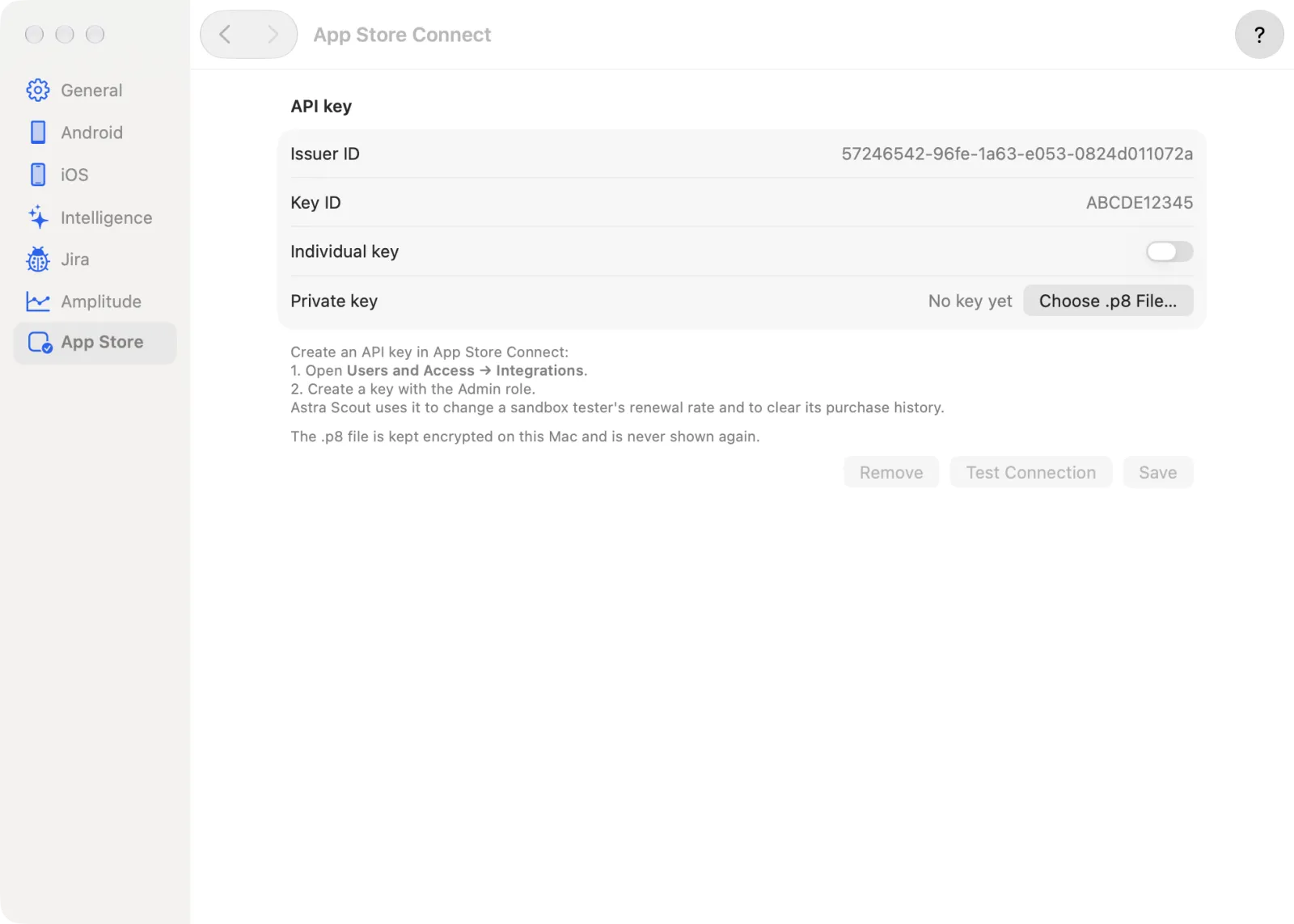
The key is stored encrypted on this Mac and is never shown again. Remove asks "Remove the App Store Connect key?" and deletes it from this Mac.
If the account has no sandbox tester yet, the section says "No sandbox testers in this account yet" and where to create one. If you delete the chosen tester in App Store Connect, Astra Scout forgets the choice the next time it loads the list, and the picker goes back to None.
Change the renewal rate
- Under Sandbox tester, choose a tester. The Subscription renewal rate menu appears only for a chosen tester.
- Open Subscription renewal rate and choose a rate.
- The line under it shows how long a 6-month subscription lasts at that rate. Apple may take up to an hour to apply it.
Apple renews a sandbox subscription at most 12 times, then it ends.
| Rate | 1 week | 1 month | 2 months | 3 months | 6 months | 1 year |
|---|---|---|---|---|---|---|
| Every 3 minutes | 3 min | 3 min | 6 min | 9 min | 18 min | 36 min |
| Every 5 minutes (Apple's default) | 3 min | 5 min | 10 min | 15 min | 30 min | 1 h |
| Every 15 minutes | about 5 min | about 15 min | about 30 min | about 45 min | about 1 h 30 min | about 3 h |
| Every 30 minutes | 10 min | 30 min | 1 h | 1 h 30 min | 3 h | 6 h |
| Every hour | 15 min | 1 h | 2 h | 3 h | 6 h | 12 h |
The rate changes only when you choose one here, or when an AI CLI asks for it (see From a terminal).
Clear the purchase history
Connect the device (see Devices) and open the ... menu in the device toolbar (its tooltip is "More Device Actions").
Choose Clear Sandbox Purchase History…. The item is in the menu of every iOS device, simulators included. If no key or tester is set up yet, Settings opens on App Store instead; set them up, then try again.
A native dialog titled "Clear sandbox purchase history?" names the sandbox account and warns that this cannot be undone. Click Clear History (or Cancel).
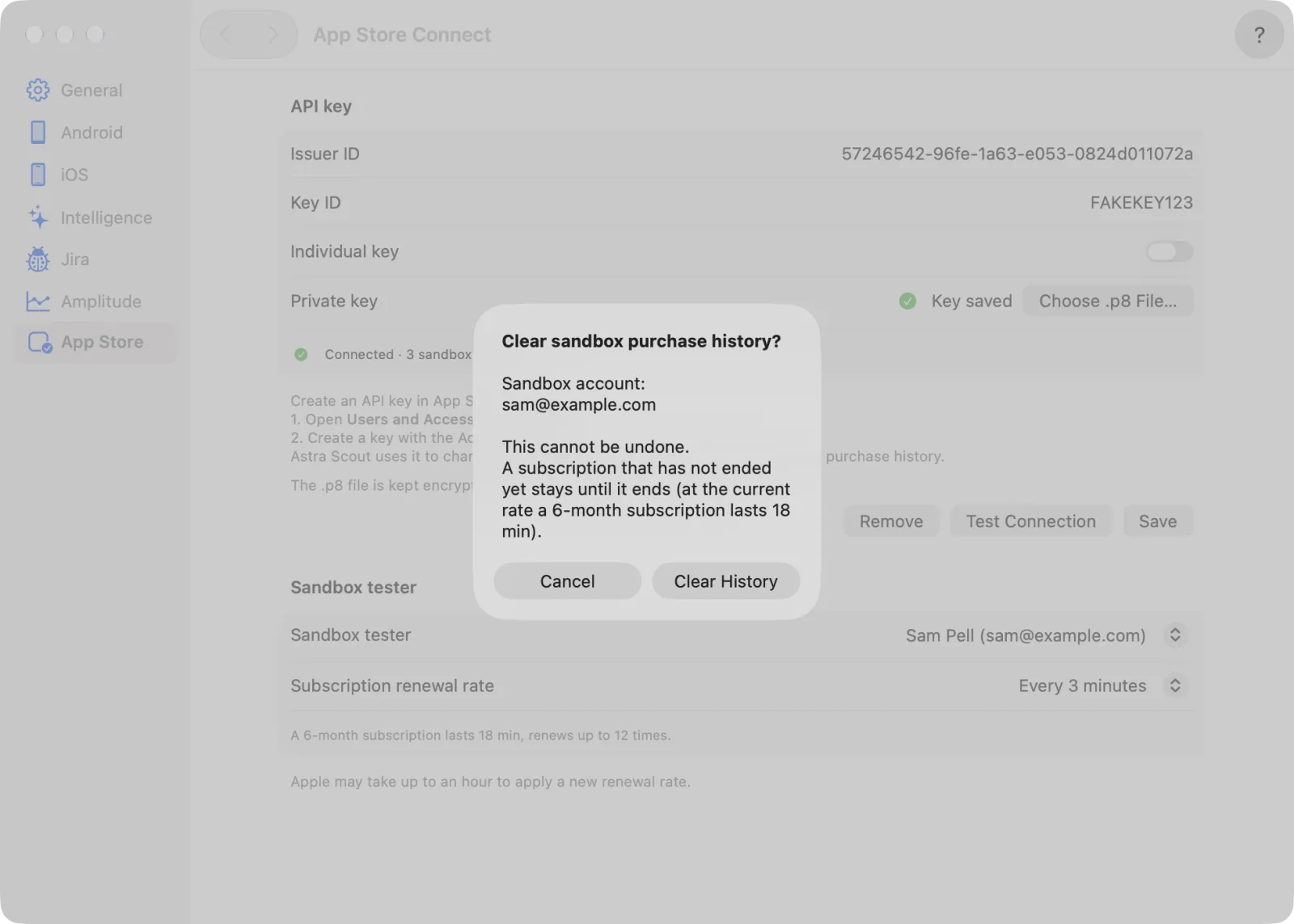
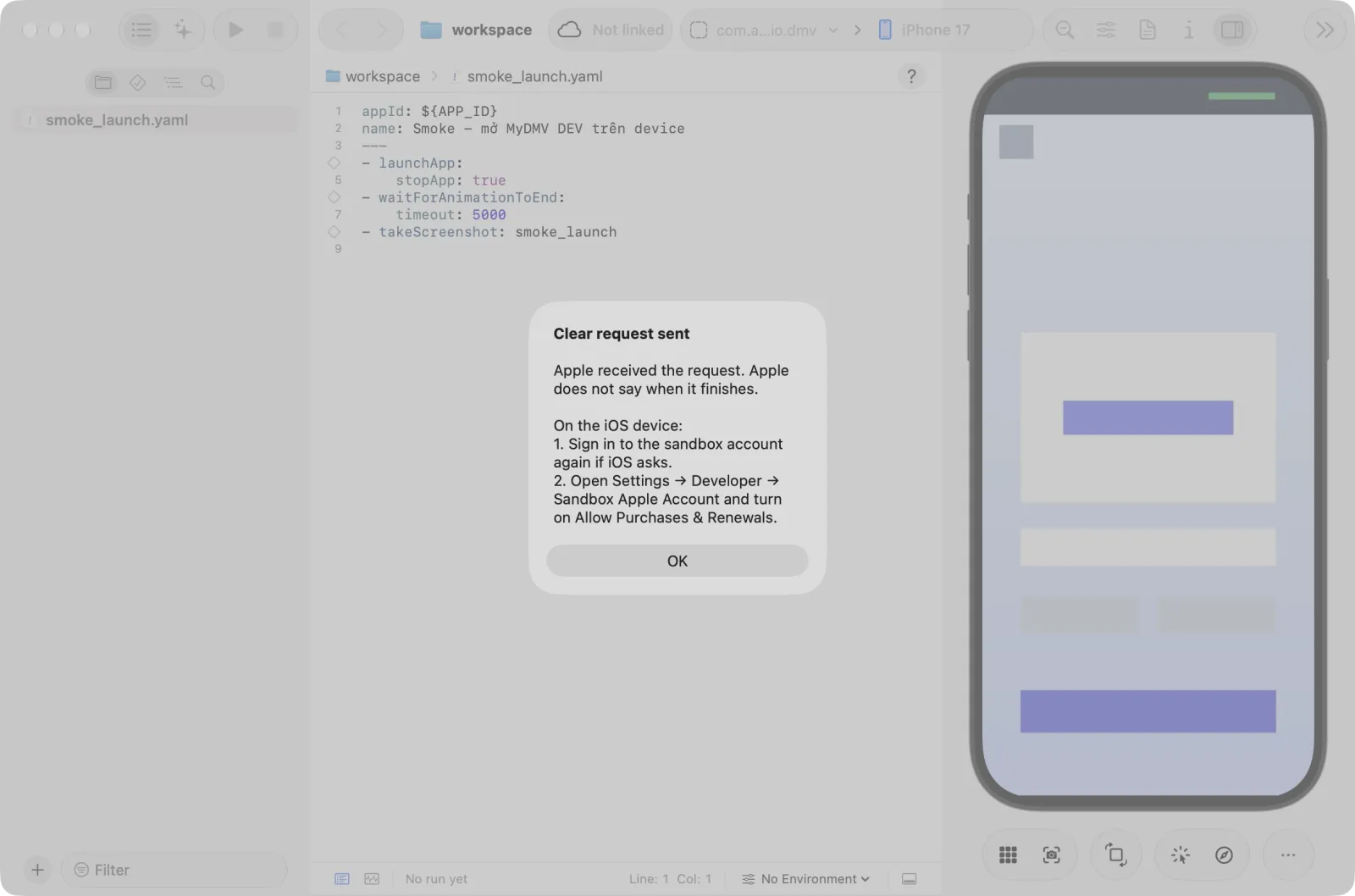
While the request is sent, the ... button shows a spinner. Then an alert Clear request sent appears: Apple received the request but does not say when it finishes. Click OK.
A subscription that has not ended stays until it ends. The dialog tells how long a 6-month subscription lasts at the current rate. If you rerun purchase flows often, choose a fast renewal rate first.
After clearing
- If iOS asks, sign in to the sandbox account again.
- Open Settings > Developer > Sandbox Apple Account. iOS may have turned off Allow Purchases & Renewals; turn it back on.
- Relaunch the app and check that it shows the free state or the paywall.
- Run the purchase flow.
See Purchase testing for the rest of the iOS device setup.
From a terminal
If you drive Astra Scout with an AI CLI (Claude Code, Codex, Gemini CLI), a CLI with the Astra Scout plugin can use the same key (see The scout plugin and the test-purchase skill):
list_sandbox_testerslists the testers. It only reads.set_sandbox_renewal_ratechanges a tester's rate.clear_purchase_historynever acts by itself. It answersNEEDS_CONFIRMATION, and the same native dialog as above ("Clear sandbox purchase history?") appears in Astra Scout. The request is listed as Awaiting confirmation under Activity from CLIs in Settings > Intelligence > MCP Connection. Nothing is cleared until you click Clear History.
Troubleshooting
| Message | Fix |
|---|---|
| Apple rejected the API key: check the Issuer ID, Key ID and the .p8 file. | Check the three values. The .p8 file must belong to that Key ID. An individual key needs Individual key turned on. |
| This API key is not allowed to manage sandbox testers (it needs the Admin or Account Holder role). | Ask an Admin to create the key, or to change the role of its owner. |
| This sandbox tester was not found in App Store Connect (it may have been deleted). | Choose another tester under Sandbox tester. |
| Apple is rate limiting requests. Wait a moment and try again. | Wait a minute, then retry. |
| The stored key cannot be opened any more. Choose the .p8 file again. | Click Choose .p8 File… and Save. |
| Cannot reach App Store Connect. Check the network. | Check the Mac's connection. |
| This file is not a .p8 private key. | Pick the .p8 file you downloaded from App Store Connect. |